ETG WORKS

Features

A custom dashboard built around the way your company operates.

What you can have built. Pick what you need now and add the rest later; it all runs as one system.

Text it

Run your entire business by text

Text your company like you would text an assistant. Ask what's on tomorrow, have it send an invoice, cancel a meeting or set a reminder, and it gets done inside your system. No app to open, and no ChatGPT or Claude account needed.

  • Works from any phone, nothing to install
  • Knows your clients, schedule, invoices and team
  • Asks before it sends, signs, charges or cancels anything

Text it things like:

  • “What appointments do I have next week?”
  • “Email John at Harbor View to set up a walkthrough Tuesday at 10.”
  • “Cancel my Thursday 2:00 and let them know.”
  • “Remind me Friday at 8 to send out the operations order.”
  • “Who hasn't paid their invoice this month?”
  • “Send Northgate the contract for signature.”
  • “Who's on shift Saturday night?”
  • “Add a lead: Mike Ross, Ross Logistics, needs weekend coverage.”
  • “Reschedule my 3:00 with Dana to Monday.”
  • “Text everyone in Tuesday's class that it starts at 9 instead of 8.”
  • “How much did we bring in this month?”
  • “Move the first person on the waitlist into Saturday's class.”
  • “Mark invoice 1042 paid. They paid by check.”
  • “What's left on my to-do list today?”
  • “Post on Facebook and Instagram that we're hiring.”
  • “Send Harbor View the quote we talked about yesterday.”
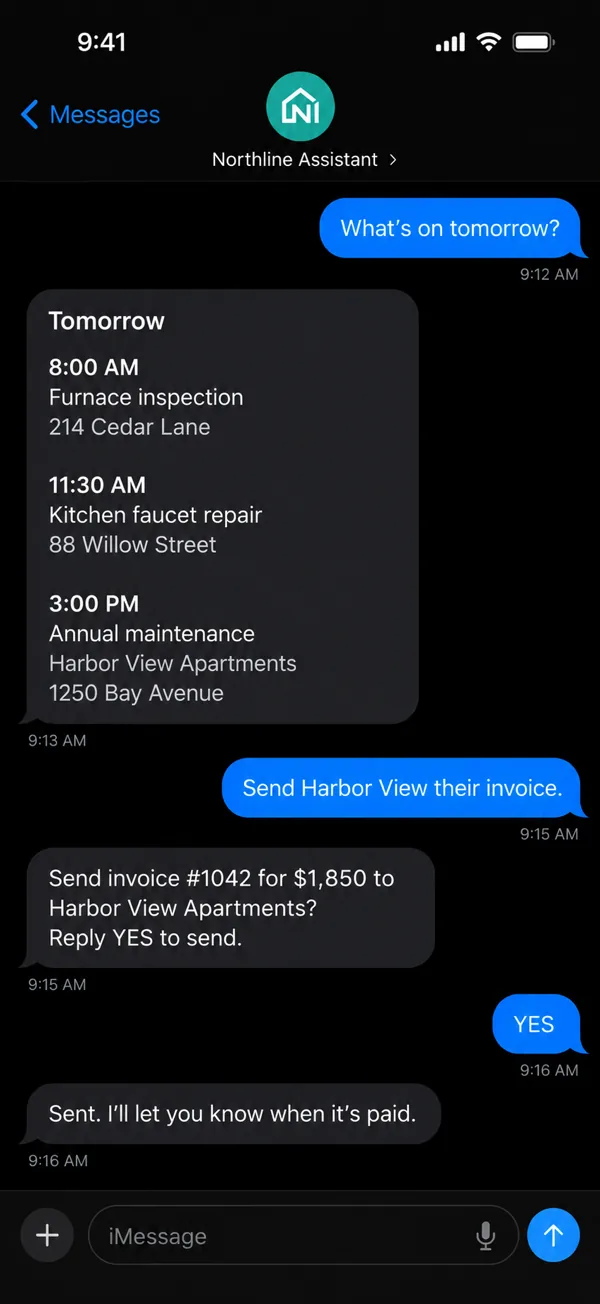
A text conversation with a sample company's assistant: it lists tomorrow's three appointments, then asks the owner to reply YES before sending an invoice, and confirms it was sent

Run the business

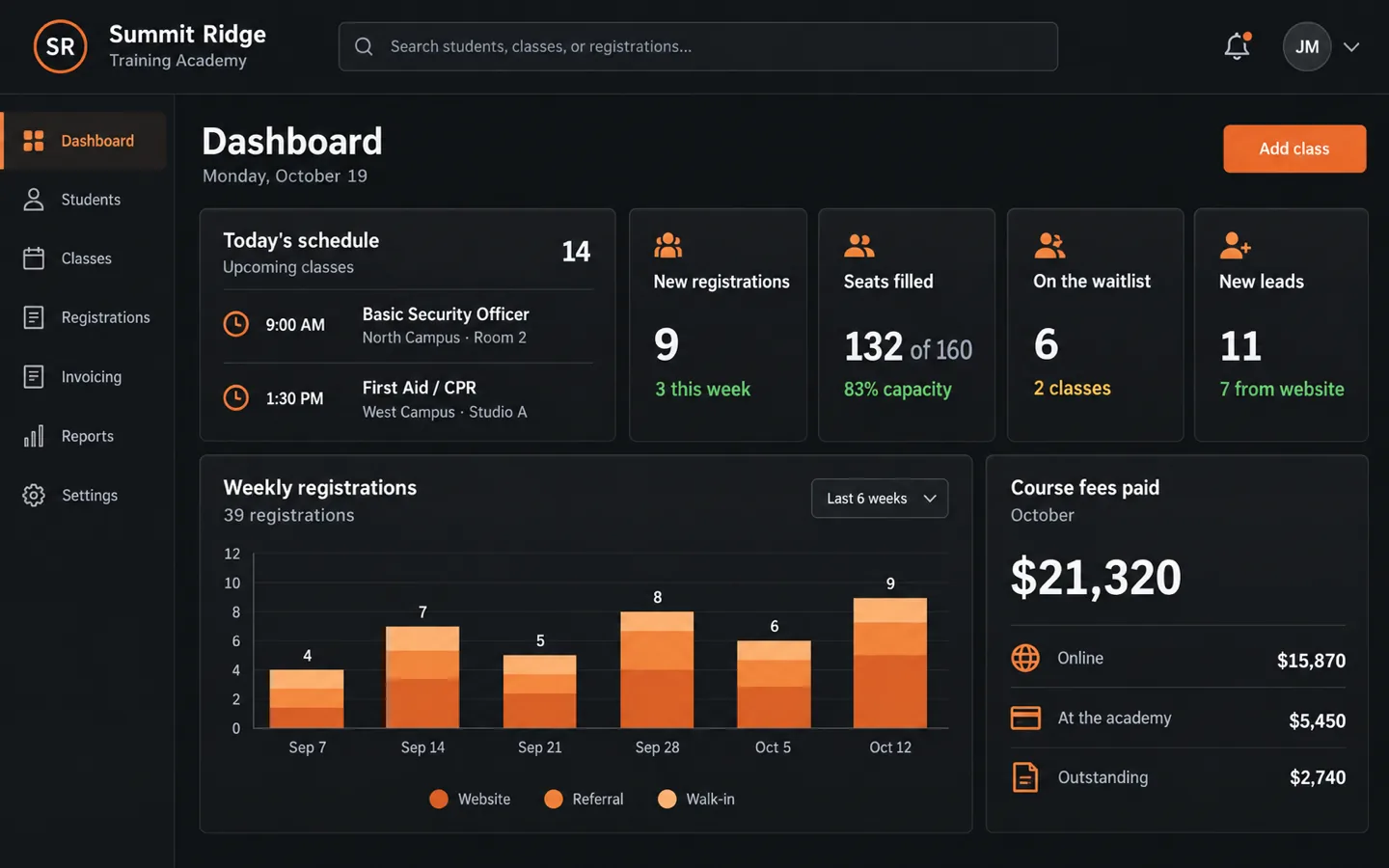
Your dashboard

Today's work, money and to-dos on one screen, laid out the way your business runs.

  • Your numbers, not a template's
  • Built from how your week actually goes
  • Separate views for owners and staff
Dashboard
Dashboard for a sample training academy: today's schedule, new registrations, seats filled, the waitlist, new leads, weekly registrations and course fees paid

Customers

Customer records

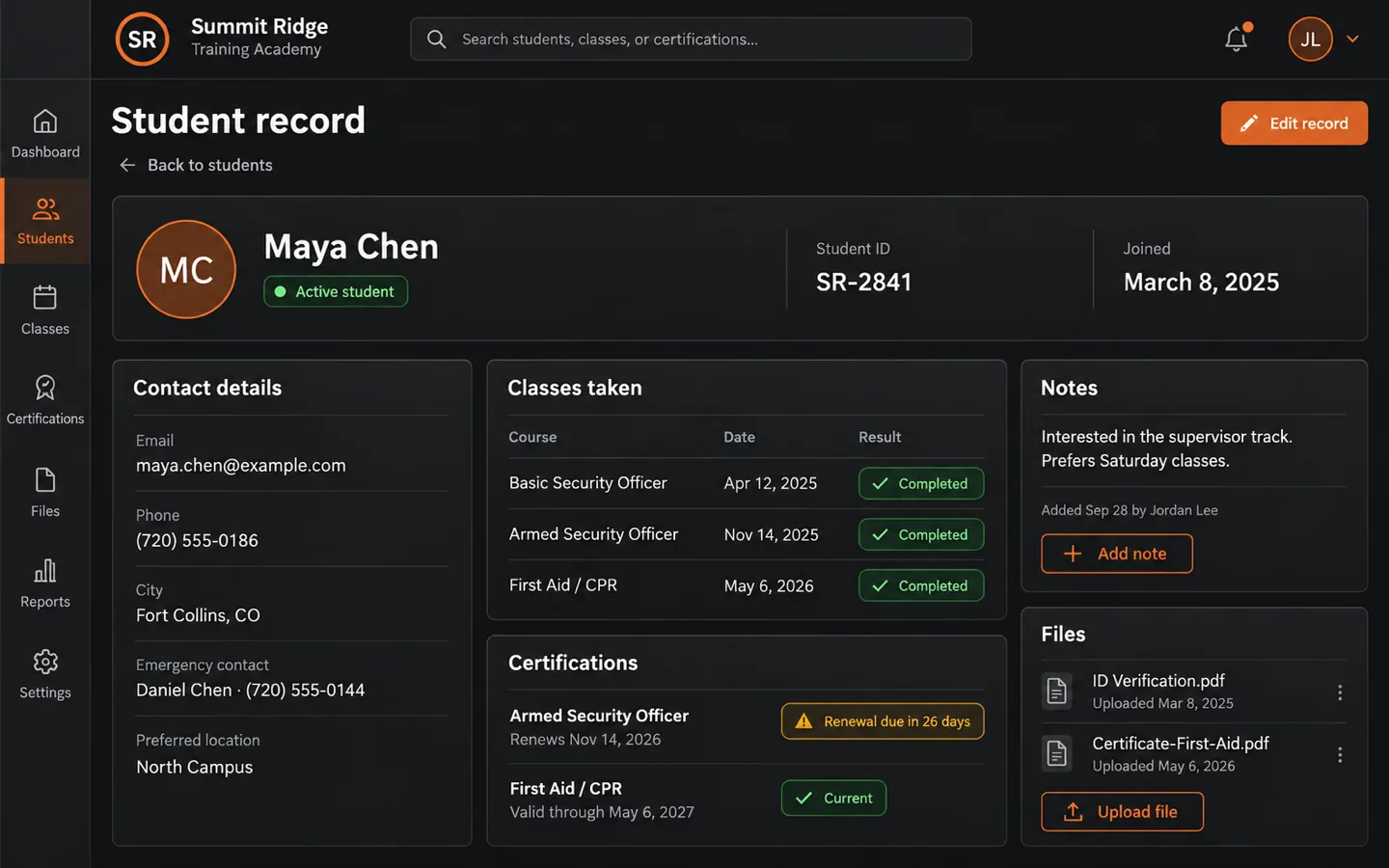
Every customer, job, note and file in one place, searchable in seconds.

  • Full history on every customer
  • Renewal and due dates tracked for you
  • Search and filter in seconds
Customer records
One customer's record: contact details, classes taken, certifications with a renewal coming due, notes and files

Sales

Leads and sales pipeline

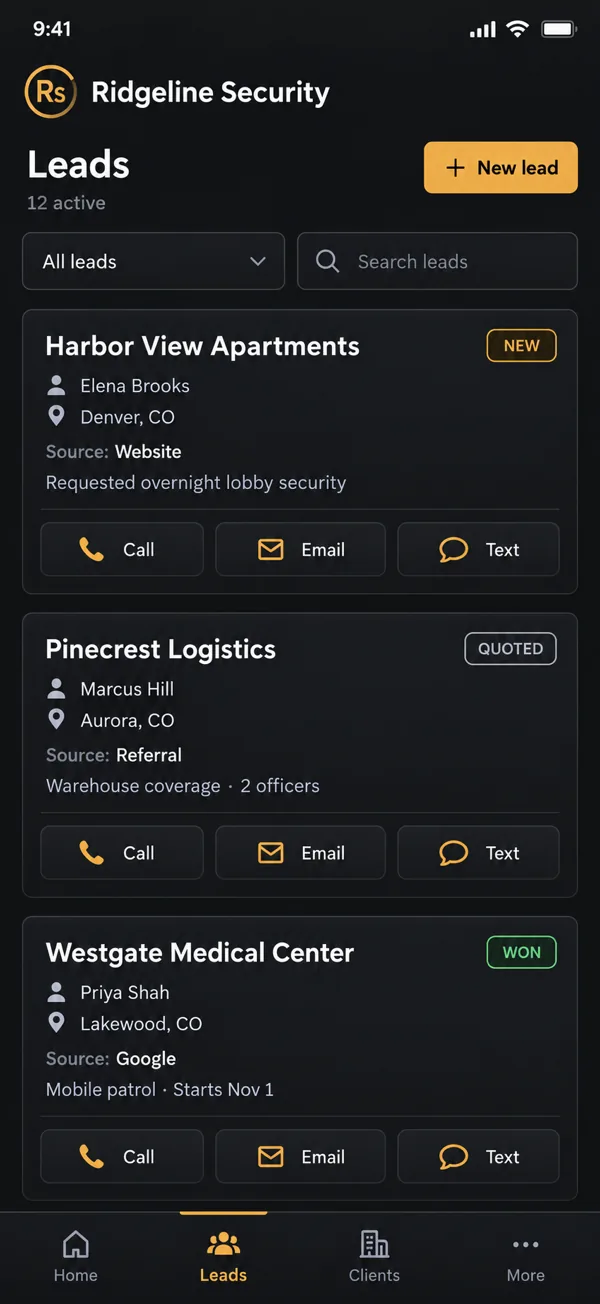
Every inquiry tracked from first contact to closed, so nothing slips.

  • Website requests land as leads on their own
  • Call, email or text right from the lead
  • Every call outcome and follow-up logged
Lead cards on a phone, tagged New, Quoted and Won, each showing where it came from, with call, email and text buttons

Sales

Sales dialer

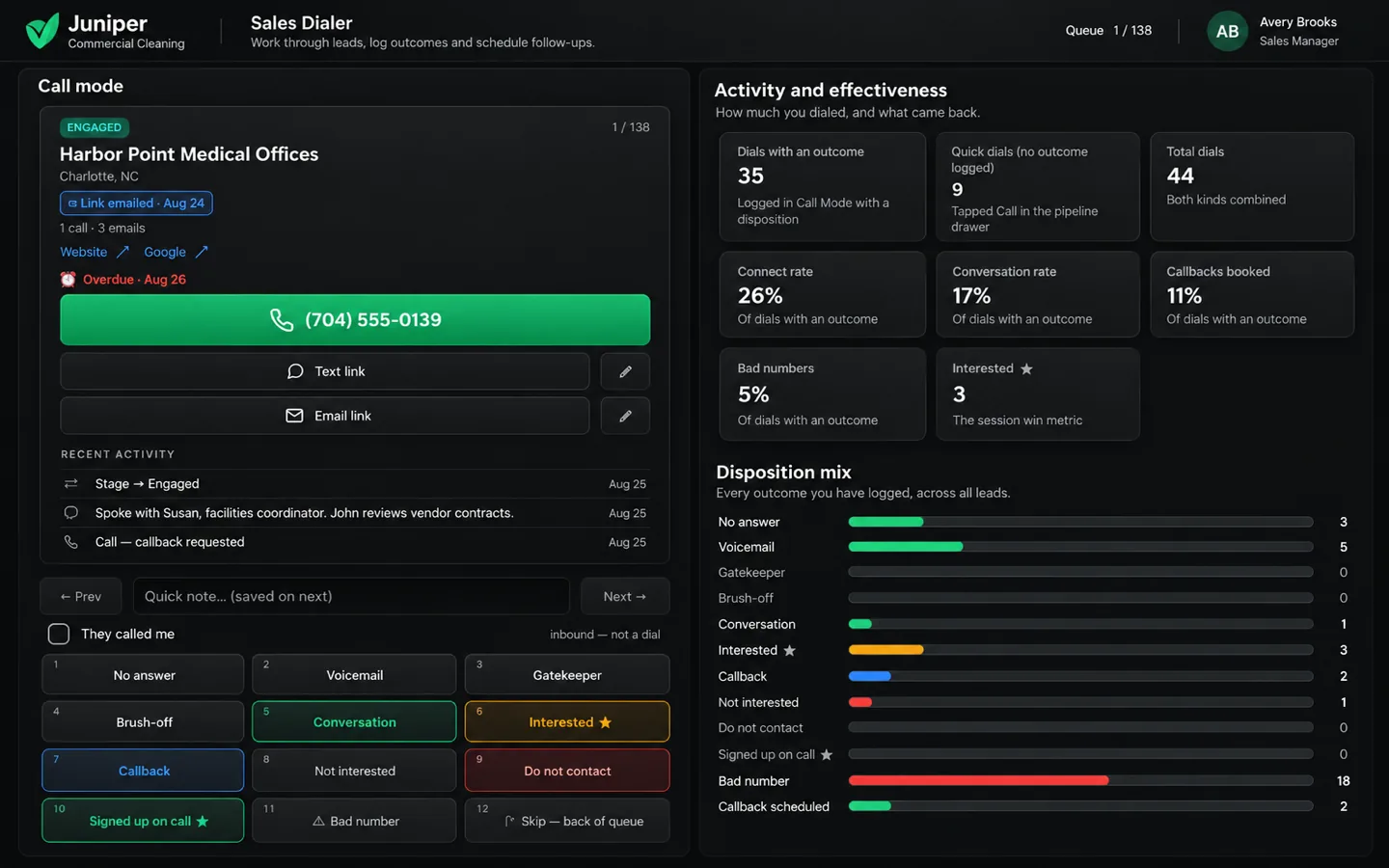
Work through your call list fast and log every outcome in one tap.

  • One tap to call, one tap to log what happened
  • Callbacks and follow-ups scheduled for you
  • Your connect and conversation rates, tracked
Sales dialer
A sales dialer: the next lead with a large call button, one-tap outcome buttons, and connect, conversation and callback rates

Sales

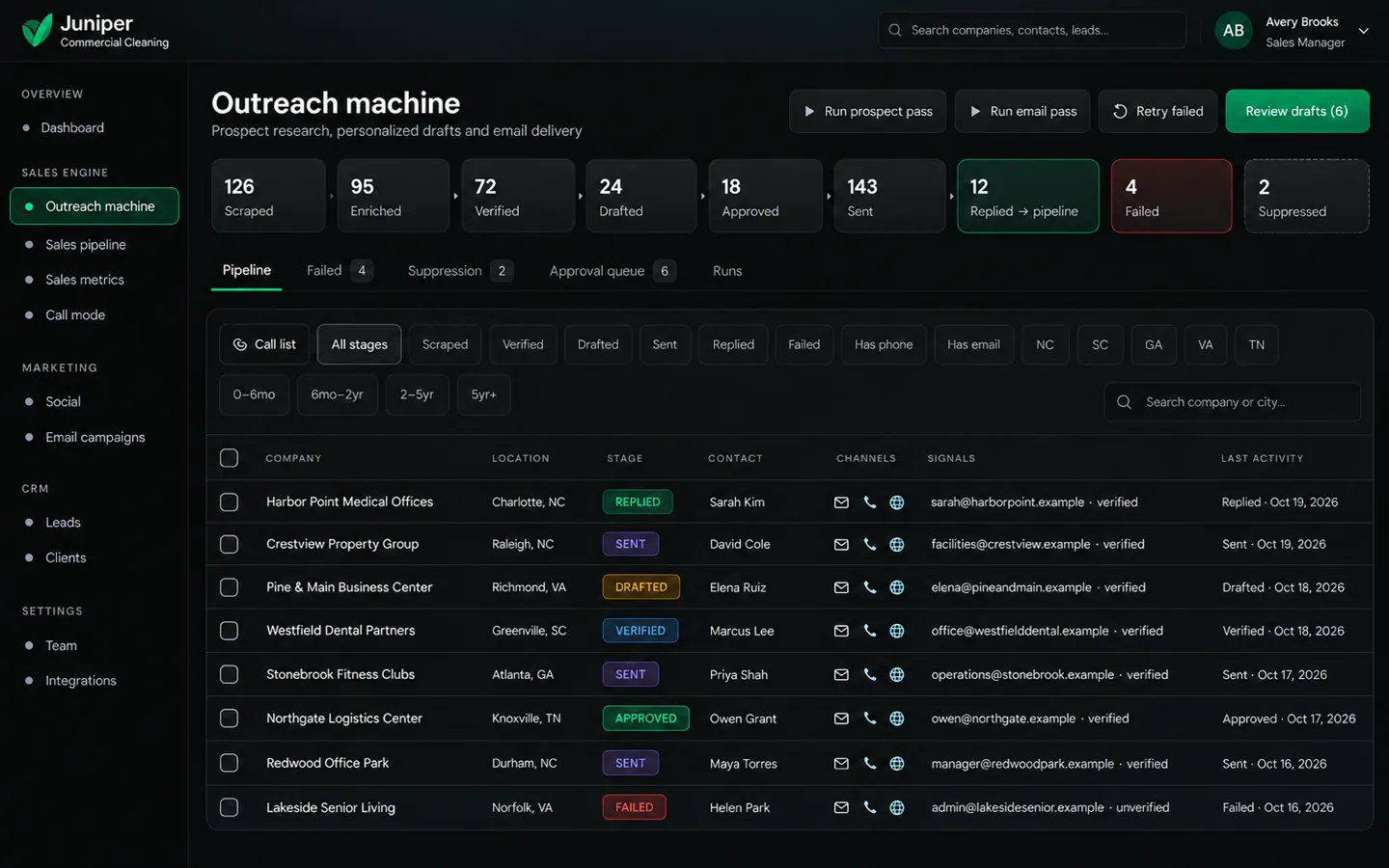
Email outreach

Find prospects, check their emails and send personal outreach, with replies landing in your pipeline.

  • Prospect lists built and verified
  • You approve messages before they send
  • Opt-outs honored automatically
Email outreach
An email outreach pipeline: prospects found, verified, drafted, approved and sent, with replies moved into the sales pipeline

Sales

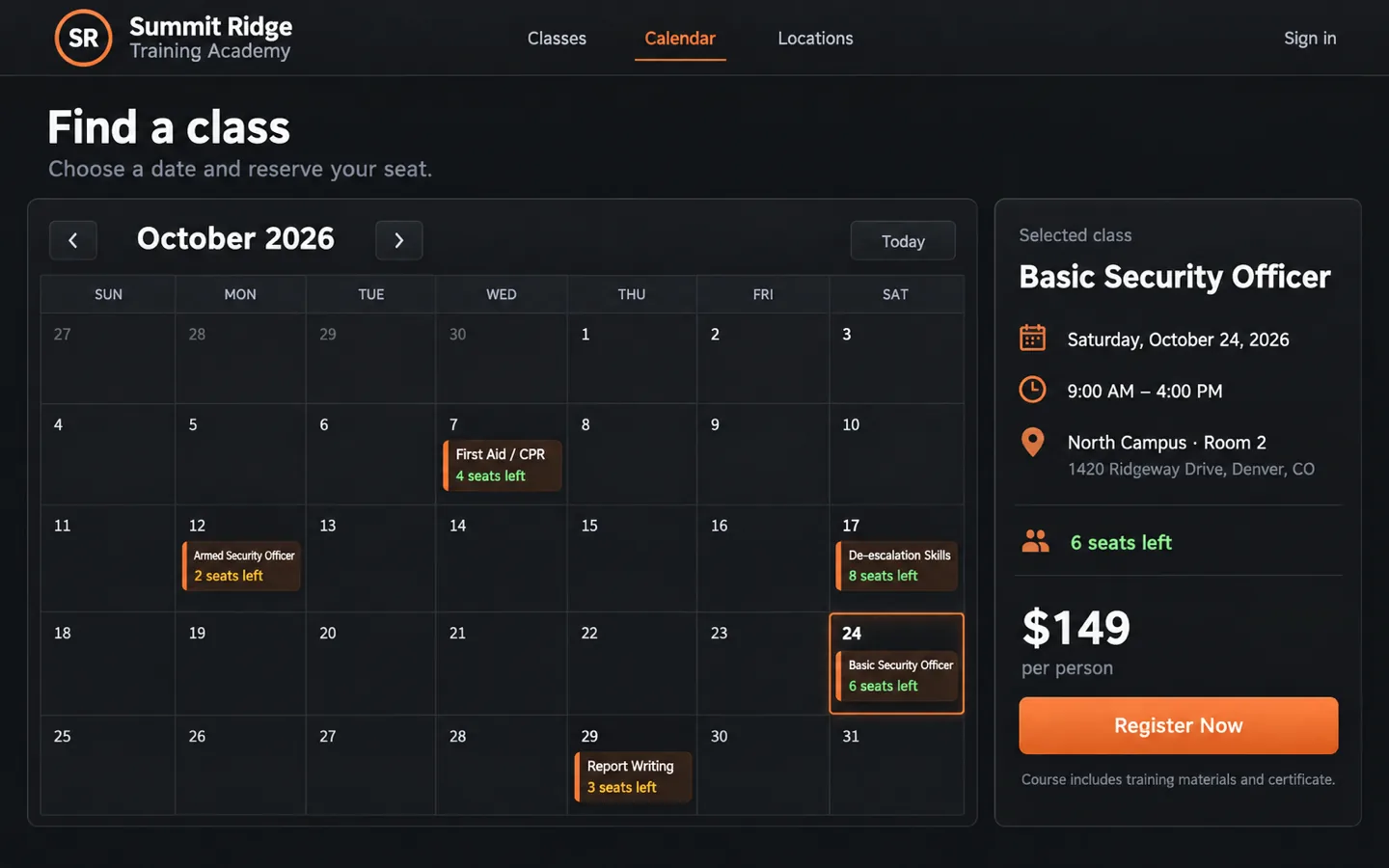
Online booking and registration

Customers book or sign up and pay online, with a waitlist when you're full.

  • A live calendar on your website
  • Payment taken at checkout
  • Open seats offered to the waitlist
Booking
A booking calendar showing classes with seats left, and a selected class with its date, time, location and a Register Now button

Sales

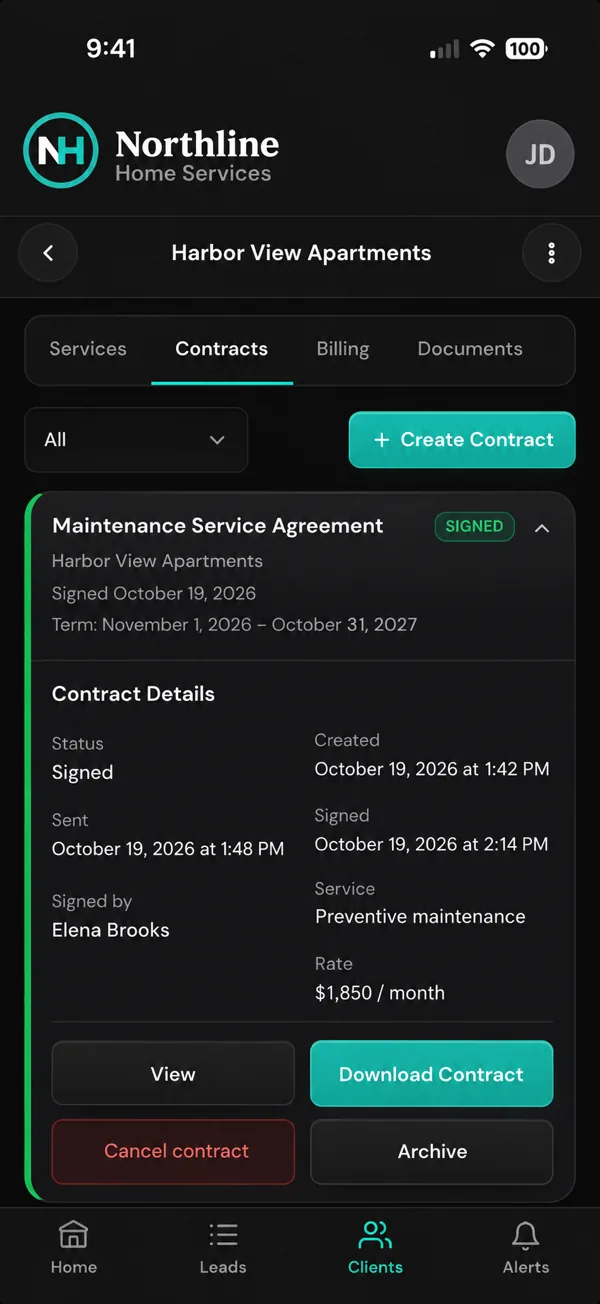
Quotes, contracts and e-signatures

Send a quote, turn it into a contract and get it signed from a phone. No printing.

  • Your own contract templates
  • Signed copies saved to the customer
  • Know the moment it is signed
A signed maintenance agreement on a phone, showing when it was sent and signed, and by whom

Money

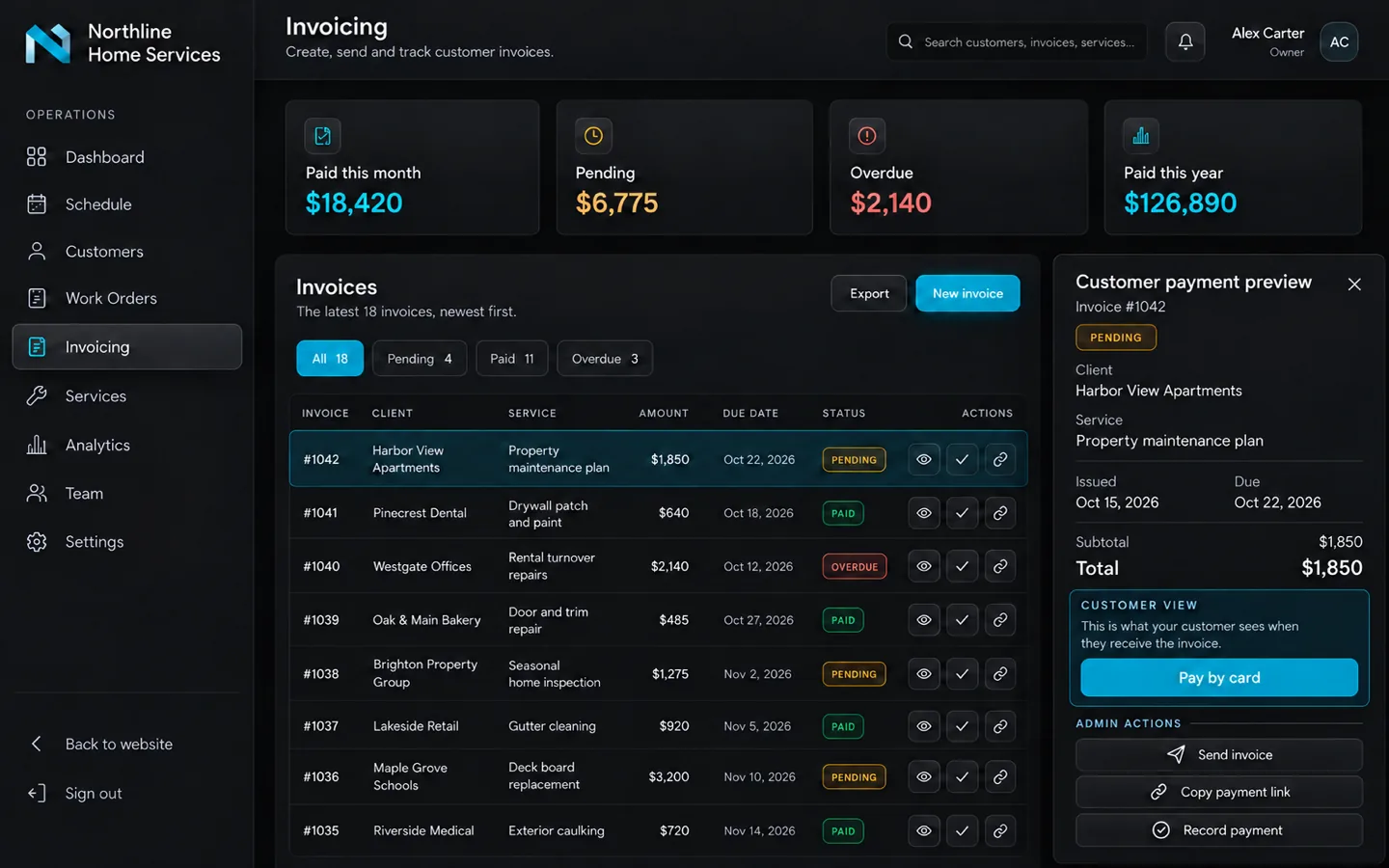
Invoicing and online payments

Send invoices and get paid by card, with every payment tracked.

  • Paid, pending and overdue at a glance
  • Customers pay online by card
  • Revenue totals that add themselves up
Invoicing
An invoice list marked Paid, Pending and Overdue with monthly totals, and one invoice showing the customer's Pay by card button

Marketing

Analytics

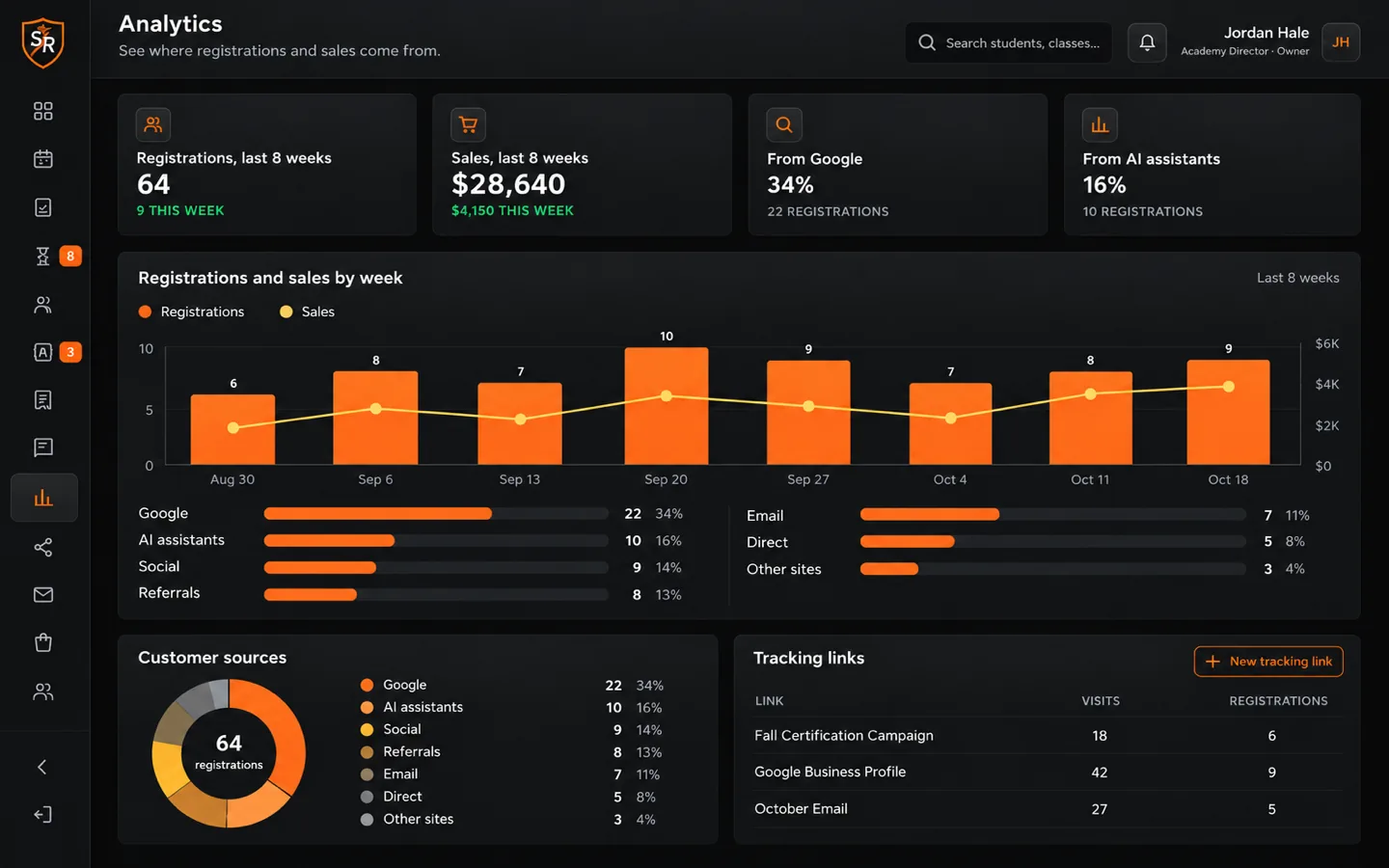
See where your customers come from and what's working.

  • Sign-ups and sales by week
  • Which channels bring people in, AI assistants included
  • Tracking links for every post and ad
Analytics
Analytics: registrations and sales by week, customer sources including AI assistants, and tracking links

Marketing

Social media

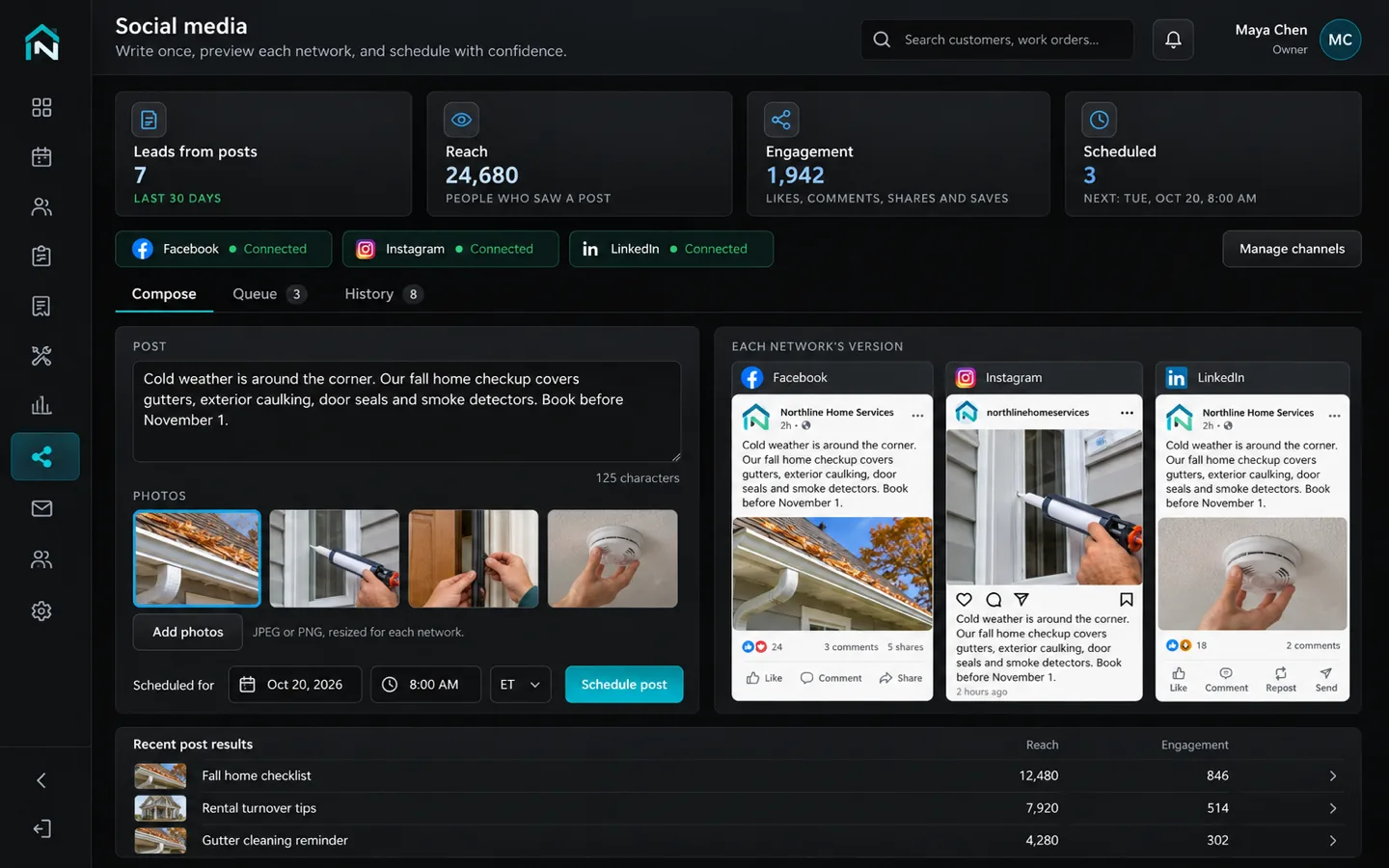
Write a post once and publish it to every account you've connected.

  • Facebook, Instagram, LinkedIn, YouTube and TikTok
  • Schedule posts ahead
  • See which posts bring in customers
Social
One post being written with previews for Facebook, Instagram and LinkedIn, a scheduled time and results for recent posts

Team

Team accounts and permissions

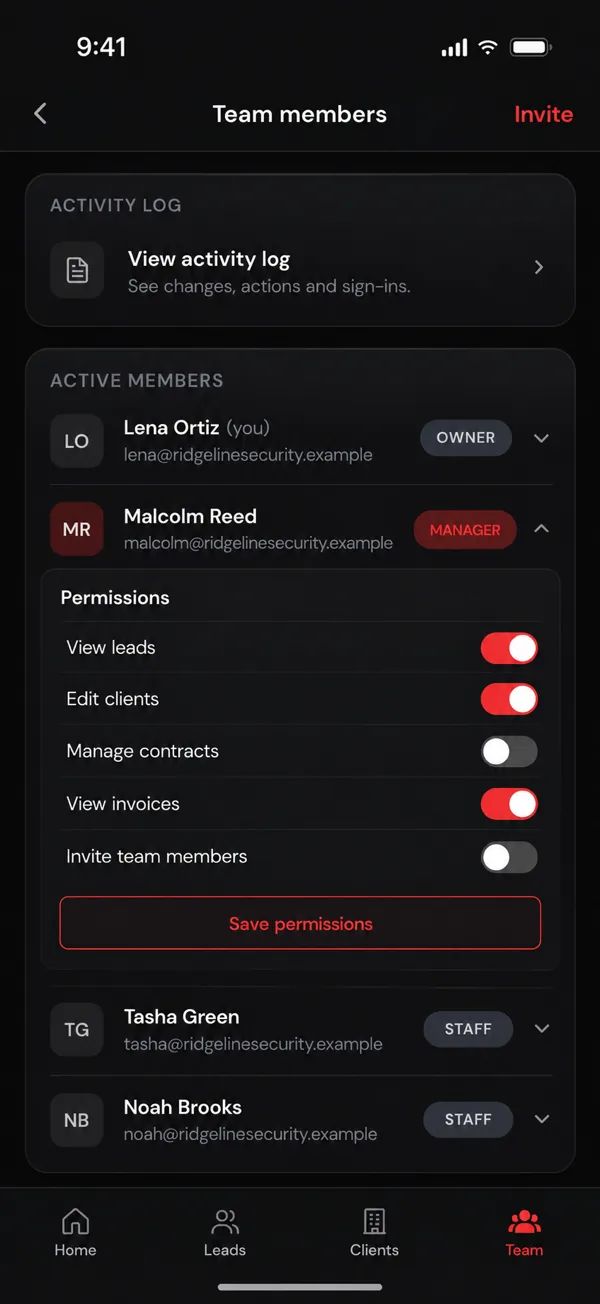
Everyone gets their own login and sees only what their role allows.

  • Owner, manager and staff roles
  • Turn single permissions on or off
  • An activity log of who changed what
A team list on a phone with Owner, Manager and Staff roles and permission switches for one manager

Team

Time clock

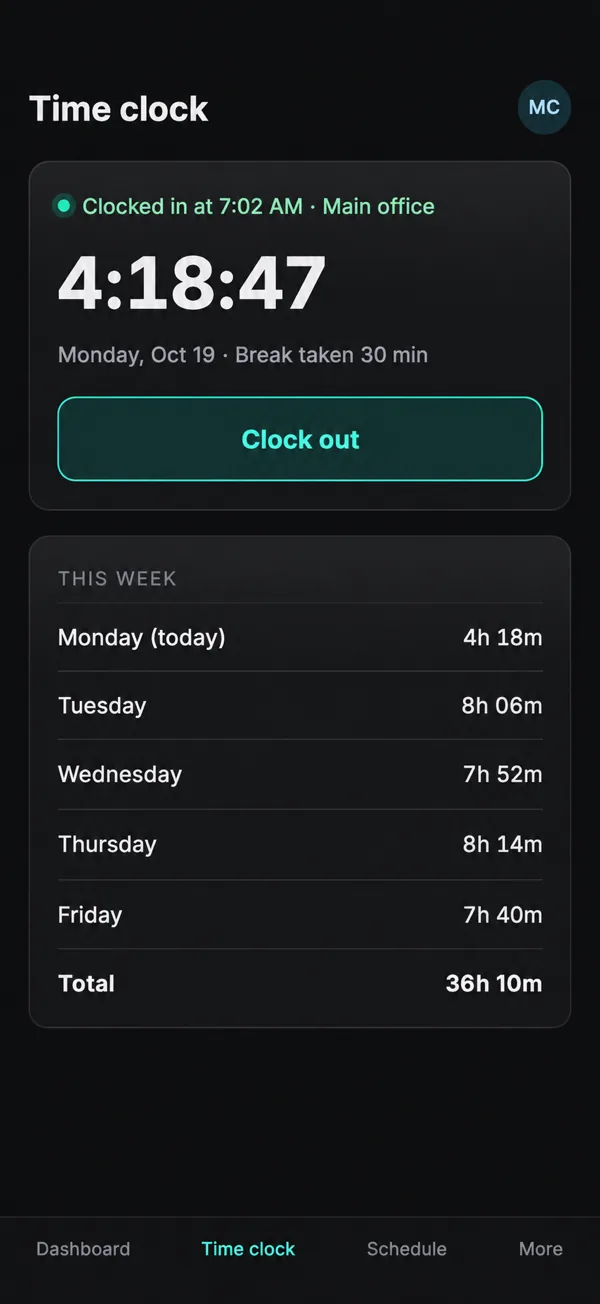
Your team clocks in and out from their phones, with hours kept in one place.

  • Clock in and out with one tap
  • Breaks and weekly totals tracked
  • Hours in one place for payroll
A time clock on a phone: clocked in since 7:02 AM, a Clock out button, and hours for each day of the week

Everywhere

Phone app with push alerts

It installs on any phone and pings you for new leads, signatures and payments.

  • Installs from the browser, no app store
  • Alerts for the things you choose
  • Works on iPhone and Android
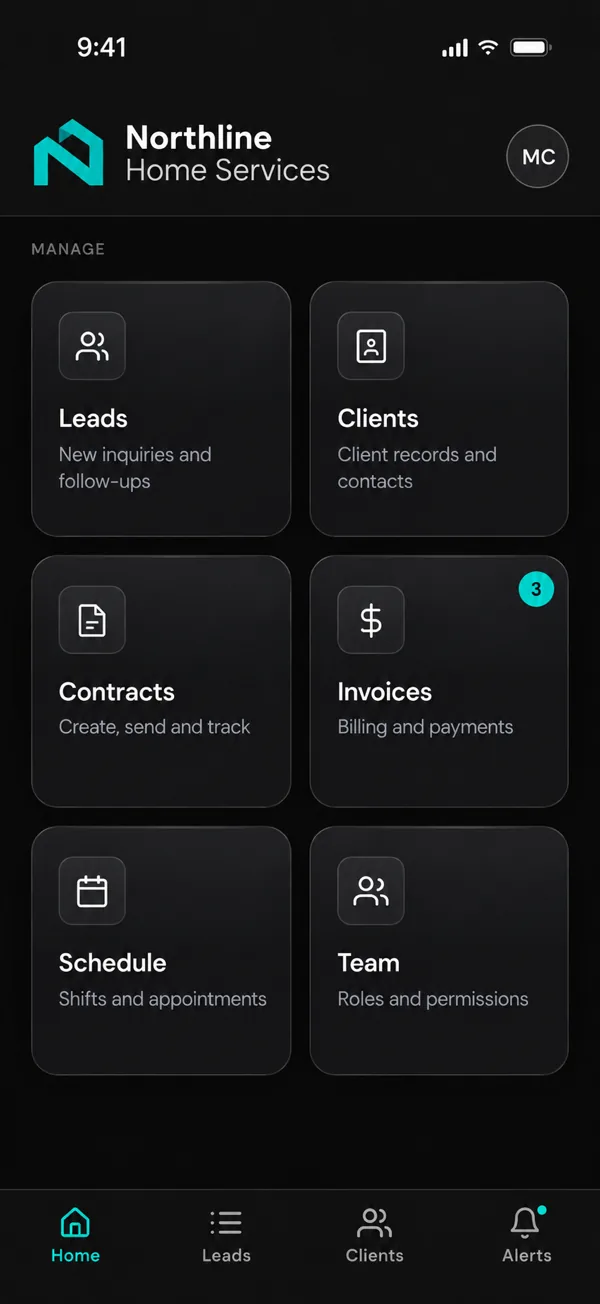
A phone app home screen with tiles for leads, clients, contracts, invoices, schedule and team

AI

Run it from your AI assistant

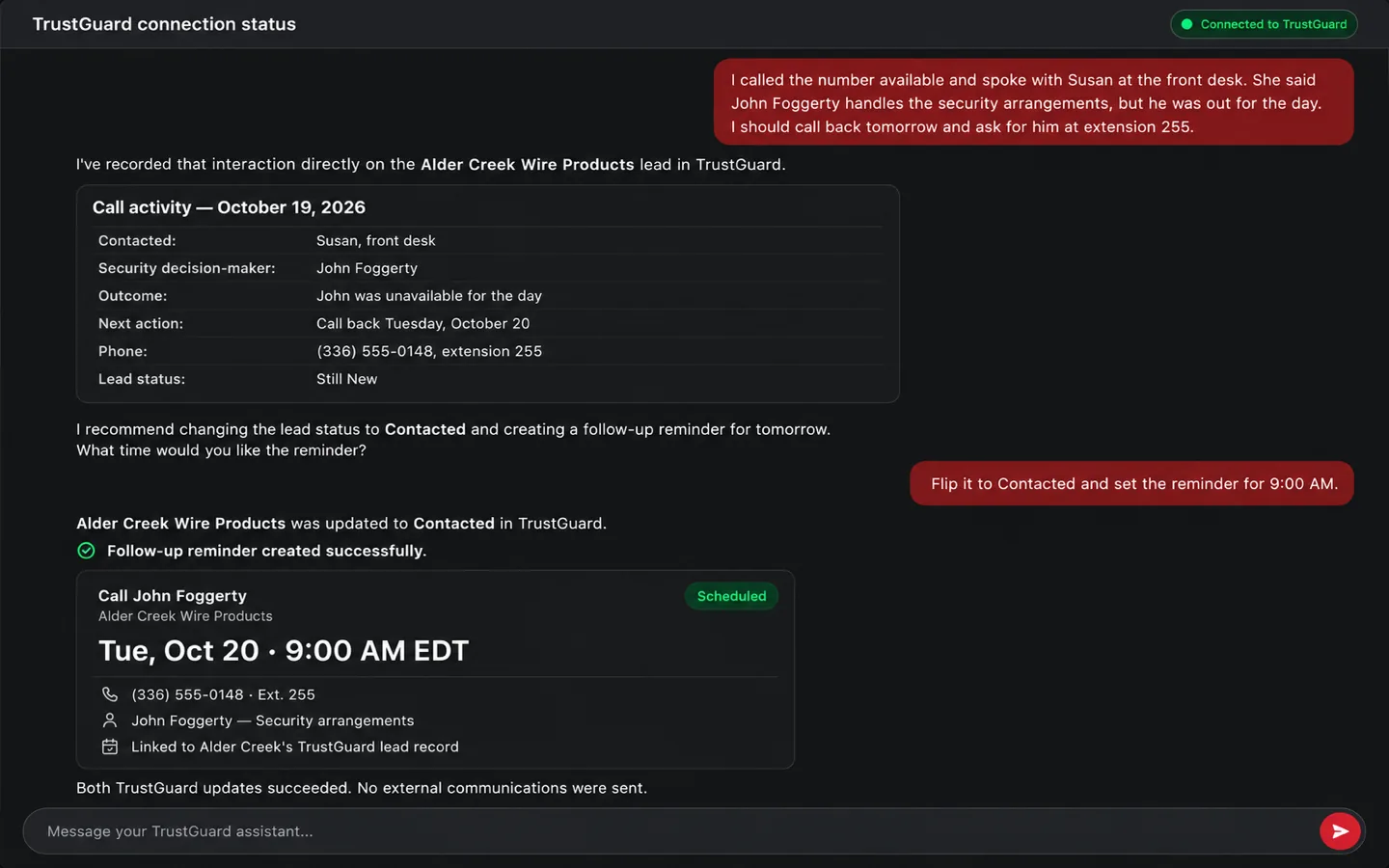
A custom MCP connector lets you run your business from ChatGPT, Claude or whichever AI assistant you use. Tell it how a call went and it logs the outcome and sets the follow-up. Ask who hasn't paid, or have it send a quote, and it works right inside your system.

  • A custom MCP connector built for your system
  • Works with ChatGPT, Claude and other AI assistants
  • Checks with you before it sends anything
AI assistant
An AI assistant chat: the owner describes a sales call, and the assistant logs it on the lead, updates its status and schedules a follow-up call

See it built around your business

Pick what you need now and add the rest later. It all lives in one system.

Start a project